Stop Work Authority: What It Is and How to Make It Work
Every serious workplace incident has a moment before it happens when someone could have said “stop.” A worker noticed the missing guard. A crew member thought the load looked unstable. A new hire wasn’t sure the line was locked out. In too many cases, nobody spoke up, because they didn’t think they were allowed to, didn’t want to slow things down, or worried about what would happen to them.
Stop work authority (SWA) exists to close that gap. This guide covers what SWA is, how it relates to OSHA rules, how to build a program, and, most importantly, how to create a workplace where people actually use it.
What Is Stop Work Authority?
Stop work authority is a policy that gives every employee, and often every contractor and visitor, the right and the responsibility to stop any task they believe is unsafe, without fear of retaliation. Work stays stopped until the concern is reviewed and resolved.
SWA is common in oil and gas, construction, utilities, chemical manufacturing, and other high-hazard industries, but it applies to any workplace. A strong SWA program has four core elements:
- Everyone has the authority. Not just supervisors or safety staff. A first-week laborer can stop the work of a 20-year superintendent.
- No retaliation. Using SWA in good faith is protected, even if the concern turns out to be unfounded.
- A clear process. Everyone knows how to stop work, who to notify, and how work restarts.
- Visible support from leadership. Managers thank people for stopping work, not just tolerate it.
Stop Work Authority vs. Stop Work Obligation
Many companies now describe SWA as both a right and an obligation. Workers aren’t just allowed to stop unsafe work. They’re expected to. Framing it as an obligation removes some of the social pressure that keeps people quiet, because speaking up becomes part of the job rather than a personal choice that might annoy coworkers.
Is Stop Work Authority Required by OSHA?
There is no general OSHA standard that requires employers to have a formal stop work authority program. However, related federal protections exist.
Under OSHA’s regulations at 29 CFR 1977.12, employees have a limited right to refuse to perform a task in certain situations. Generally, the worker must believe in good faith that there is an imminent danger of death or serious injury, a reasonable person would agree, there isn’t enough time to fix the problem through normal channels or an OSHA inspection, and the worker has asked the employer to correct the hazard where possible. Section 11(c) of the OSH Act also prohibits employers from retaliating against workers for raising safety concerns.
A good SWA program goes further than these legal minimums. It lets workers pause work over concerns well short of imminent danger, and it builds the process for resolving them. Many clients and operators in industries like oil and gas also require contractors to have SWA programs as a condition of working on their sites.
Why Stop Work Authority Matters
It Catches Hazards at the Last Possible Moment
Inspections, permits, and job hazard analyses happen before work starts. Conditions change once work is underway. Weather shifts, equipment behaves differently, a step gets skipped, or someone new joins the crew. SWA is the safeguard that works in real time, when other controls may have already failed.
It Puts Frontline Knowledge to Work
The people closest to the work often spot problems first. SWA gives them a way to act on what they see instead of hoping someone else notices.
It Shows Workers That Safety Comes First
Every company says safety is its top priority. SWA is where that claim gets tested. When a worker stops a job, the reaction from management shows everyone whether safety really outranks schedule and cost.
How to Build a Stop Work Authority Program
Step 1: Write a Clear Policy
Your SWA policy should be short and easy to understand. It should cover:
- Who has stop work authority (everyone, including contractors and visitors)
- When to use it (any time someone believes a task, condition, or behavior is unsafe)
- The protection against retaliation
- The step-by-step process for stopping work
- How work is reviewed and restarted
- How stop work events are documented
- Management’s responsibilities
Have senior leadership sign the policy. A signature from the top makes it clear that the authority is real.
Step 2: Define the Stop Work Process
People hesitate when they don’t know what to do next. A simple, consistent process removes that hesitation. A common sequence looks like this:
- Stop. Calmly call a stop to the task. Use a clear, agreed phrase or signal.
- Make it safe. Put equipment in a safe state if it can be done without adding risk.
- Notify. Tell the supervisor or person in charge of the work.
- Discuss. The crew, supervisor, and the person who stopped work talk through the concern.
- Resolve. Fix the hazard, change the plan, or confirm that conditions are safe.
- Restart. Resume work only once everyone involved agrees it is safe. Some programs require the person who called the stop to agree before restarting.
- Document. Record what happened, what was found, and what was done.
Step 3: Decide Who Can Restart Work
This is where many programs break down. If any supervisor can override a stop and restart work immediately, workers will learn the stop doesn’t mean much. Define who has restart authority, usually the supervisor in charge of the work, sometimes with sign-off from a safety representative for higher-risk tasks. Make it clear that pressure to restart quickly is itself a red flag.
Step 4: Train Everyone
Training should cover the policy, the process, and, most importantly, practice. Use role plays and real scenarios from your workplace. Have new hires practice calling a stop out loud. It sounds simple, but saying “stop” to a senior coworker for the first time is hard, and rehearsal makes it easier.
Include contractors in training or require them to show their own equivalent program. Train supervisors separately on how to respond when someone stops work. Their reaction will shape whether anyone uses SWA again.
Step 5: Make It Visible
Remind people regularly that SWA exists. Put it on hard hat stickers, badge cards, job site signs, and the agenda of every pre-job briefing. Some companies end every toolbox talk with a reminder that anyone can stop work.
Building a Culture Where People Actually Use It
Having an SWA policy is easy. Getting people to use it is the hard part. Research on speaking up at work consistently finds that people stay silent because they fear negative consequences or doubt that speaking up will make a difference.
Respond the Right Way, Every Time
The first response a worker gets after stopping work is the most important moment in the whole program. A supervisor who sighs, argues, or mentions the schedule teaches the entire crew to stay quiet. A supervisor who says “thank you, let’s take a look” teaches them the opposite.
Train supervisors to:
- Thank the person, even if the concern turns out to be minor
- Listen fully before responding
- Take the concern seriously and look at the issue together
- Explain the outcome and what was done
- Never use language that suggests blame or annoyance
Recognize Good Stops
Publicly recognize people who use SWA in good faith. Share stories in safety meetings and newsletters. Some companies give small awards for “good catches.” Recognition tells everyone that speaking up is valued.
Never Punish a Good-Faith Stop
If someone stops work and it turns out there was no hazard, that is still a success. They followed the policy. Treating it as wasted time will kill your program. Address the rare case of someone misusing SWA for non-safety reasons separately and carefully, but don’t let fear of misuse lead you to discourage real use.
Track and Learn From Stop Work Events
Document every stop and review the data. Look for patterns. Are certain tasks, sites, or contractors involved repeatedly? Are stops leading to lasting fixes, such as updated procedures or new equipment? Share what you learn, so workers see that their stops lead to real change.
A low number of stops isn’t necessarily a good sign. In a high-hazard environment, zero stops in a year usually means people aren’t using the authority, not that nothing unsafe happened.
Common Barriers to Stop Work Authority
- Production pressure. Workers worry about delays, missed deadlines, or costing the company money.
- Hierarchy. Junior workers hesitate to challenge senior workers or supervisors.
- Contractor relationships. Contractors may fear losing future work if they stop a client’s job.
- Uncertainty. Workers aren’t sure whether a concern is “serious enough.”
- Past experience. A bad reaction once, even years ago, can stick with a crew.
Address these directly in training and leadership messaging. Tell workers explicitly that no concern is too small and that schedule pressure never justifies unsafe work.
How Software Supports Stop Work Authority
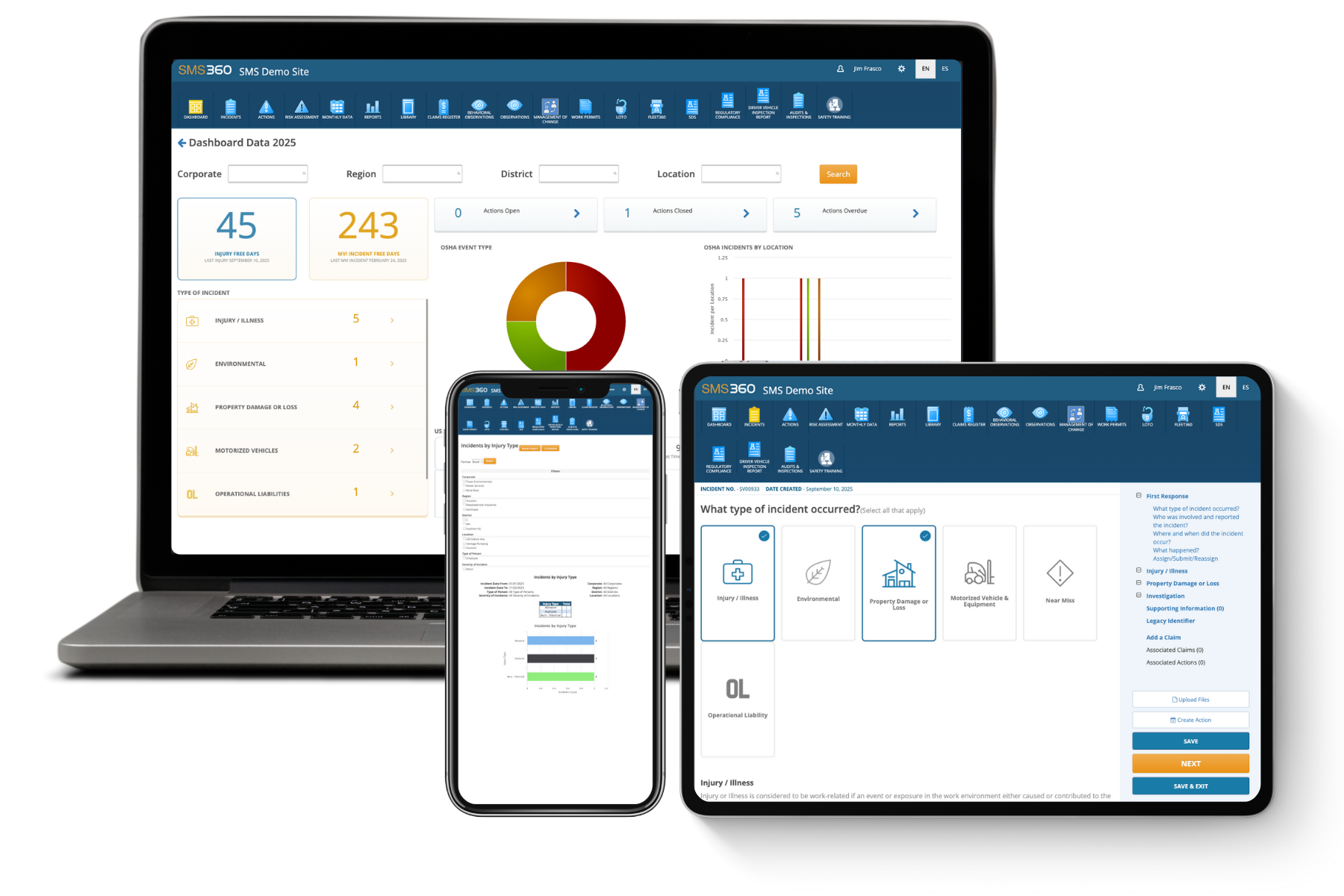
Paper logs and verbal reports make it hard to see patterns in stop work events. An EHS platform like SMS360 lets workers log a stop or a safety observation from a phone in seconds, attach photos, and notify supervisors automatically. Corrective actions can be assigned and tracked to completion, and dashboards show trends across sites and contractors. That turns individual stops into data that helps prevent the next incident.
Frequently Asked Questions
Who has stop work authority?
In a well-designed program, everyone on the site has stop work authority. That includes employees at every level, contractors and subcontractors, temporary workers, and in many cases visitors and vendors. The authority doesn’t depend on job title, seniority, or department. A first-day employee has the same right to stop a task as the site manager. This is intentional, because hazards are often spotted first by whoever happens to be closest, and that person may not be the most senior one present. Many companies put this in writing in contracts with subcontractors, so everyone working on the site follows the same rules. If your program limits SWA to supervisors or safety staff, you’re losing much of its value. Make the universal nature of the authority clear in your policy, training, and signage.
Can an employee be disciplined for using stop work authority?
An employee should never be disciplined for using stop work authority in good faith, even if the concern turns out to be unfounded. Protection from retaliation is the foundation of any SWA program, and punishing a good-faith stop will quickly teach everyone to stay silent. Federally, Section 11(c) of the OSH Act prohibits retaliation against workers for raising safety concerns, and OSHA regulations recognize a limited right to refuse dangerous work under specific conditions. Workers who believe they’ve been retaliated against can file a complaint with OSHA, generally within 30 days. Many states have additional protections. The rare exception is clear misuse of SWA for non-safety purposes, such as repeatedly halting work to delay a job over a labor dispute. Those situations should be handled carefully, case by case, through normal HR processes, and never in a way that discourages genuine use.
What should happen after someone stops work?
Once work is stopped, the first priority is to make the situation safe, as long as that can be done without adding risk. The person who stopped the work should notify the supervisor or person in charge. The crew, supervisor, and the person who raised the concern should then discuss the issue together, review the hazard, and agree on a solution. That might mean fixing equipment, changing the work method, adding controls, getting more people or tools, or confirming that conditions were actually safe. Work should only restart once the concern is resolved and the people involved agree it’s safe to continue. Finally, the event should be documented, including what was found and what was done, and any lasting fixes, such as procedure updates, should be assigned and tracked to completion. Thanking the person who stopped work should be part of every response.
How is stop work authority different from the right to refuse unsafe work?
The right to refuse unsafe work is a legal protection. Under OSHA rules, a worker can refuse a task only in limited circumstances: generally when they believe in good faith that there is an imminent danger of death or serious harm, a reasonable person would agree, and there isn’t time to fix the problem through normal channels. Stop work authority is a company policy, and it’s usually much broader. It lets anyone pause work over any safety concern, not only imminent danger, and it includes a process for discussing and resolving the issue so work can resume safely. The right to refuse is about one worker protecting themselves. SWA is about anyone protecting everyone, including coworkers, contractors, and the public. A good SWA program covers the legal right to refuse and builds on it with a culture where speaking up is expected.
How do you measure whether a stop work authority program is working?
Start by tracking the number of stop work events over time, by site, crew, task, and whether contractors or employees called them. Rising numbers after training often signal growing trust, not worsening safety. Look at how quickly stops are resolved and whether they lead to lasting changes like updated procedures, new equipment, or retraining. Review whether any stops were overridden or restarted without proper resolution, which is a serious warning sign. Employee perception surveys are valuable too: ask workers whether they feel comfortable stopping work and whether they believe they’d be supported. Leading indicators like near-miss reports and safety observations often rise alongside a healthy SWA program. Finally, review serious incidents and ask whether anyone noticed a problem beforehand and didn’t speak up. If the answer is yes, your program has a gap to close.