Compliance

How to Optimize Claims Management Processes with SMS360

Streamline and optimize your claims management processes using SMS360’s features.
April 24, 2026

Managing claims can be a daunting task for any organization. Without efficient processes in place, companies can struggle with delays, miscommunication, and inconsistencies. This is where claims management software like SMS360 comes into play. By optimizing claims management processes, organizations can streamline their workflows, improve incident claims tracking, and ensure that safety incident claims are handled effectively.

Understanding Claims Management Software

Claims management software is designed to facilitate the administration of insurance claims. It helps organizations track, process, and settle claims more efficiently. Using SMS360, you can improve your claims management process with features tailored specifically for your needs.

The Importance of Streamlining Incident Claims Tracking

Incident claims tracking is at the heart of effective claims management. Here’s why:

  • Reduces time spent on data entry.
  • Enhances visibility of ongoing claims.
  • Improves communication between teams.

By utilizing SMS360 for incident claims tracking, organizations can automate notifications for new incidents. This ensures that the relevant teams are immediately aware and can take prompt action, preventing further complications.

Leveraging SMS360 Features for Optimization

SMS360 offers several features that can significantly optimize your claims management process:

  • Customizable Dashboards: Tailor your dashboard to display real-time claims data, giving your team immediate access to what they need.
  • Automated Workflows: Define workflows that guide each claim through necessary steps, reducing human error and increasing efficiency.
  • Comprehensive Reporting: Generate reports to analyze claims trends over time, helping to identify areas for improvement.

Real-Life Applications of Claims Management Software

Imagine a manufacturing company that had been facing delays in processing safety incident claims. Their traditional method involved manual tracking, which led to lost paperwork and misfiled claims.

After implementing SMS360, they customized their dashboards for each department, allowing for instant updates on incidents. Automated notifications alerted the safety team immediately when a new claim was filed, leading to faster investigations and resolution of claims. The result? Their claims processing time was cut down by 50%!

Enhancing Safety Incident Claims Management

Efficient handling of safety incident claims is crucial for maintaining a safe workplace.

Here’s how SMS360 improves the management of these claims:

  1. Easy Incident Reporting: Employees can report incidents through SMS360's user-friendly interface from anywhere, reducing barriers to reporting.
  2. Incident Analysis: Track patterns in safety incidents, which can help in proactive decision-making.
  3. Compliance Tracking: Ensure that all claims comply with industry regulations, mitigating risk for the organization.

One organization found that integrating SMS360 into their incident claims management drastically reduced repetitive safety violations. By analyzing data, they could identify root causes and take preventive measures, creating a safer environment.

Furthermore, when claims are handled efficiently, your employees feel valued and secure. They know that their safety and well-being is a priority for the company.

Final Thoughts

In the fast-paced world of claims management, having a reliable and efficient system like SMS360 is essential. By optimizing your claims management process, you can not only save time and reduce errors but also improve safety and compliance across your organization.

Ready to transform your claims management processes? Explore SMS360's safety and compliance software and see how it can benefit your organization. Don’t let claims management be a bottleneck—leverage SMS360 to enhance your workflows and ensure timely resolutions for all your claims. Start optimizing your claims management software today!

Frequently Asked Questions

Q: How can claims management software improve workplace safety?

A: By streamlining incident tracking and reporting, claims management software helps organizations identify hazards quickly, leading to timely interventions and better safety compliance.

Q: What features should I look for in claims management software?

A: Key features include customizable dashboards, automated workflows, reporting tools, and mobile access for on-the-go incident reporting.

Q: How does SMS360 help with compliance?

A: SMS360 ensures that all claims are tracked and managed according to regulatory standards, helping organizations stay compliant and avoid legal issues.
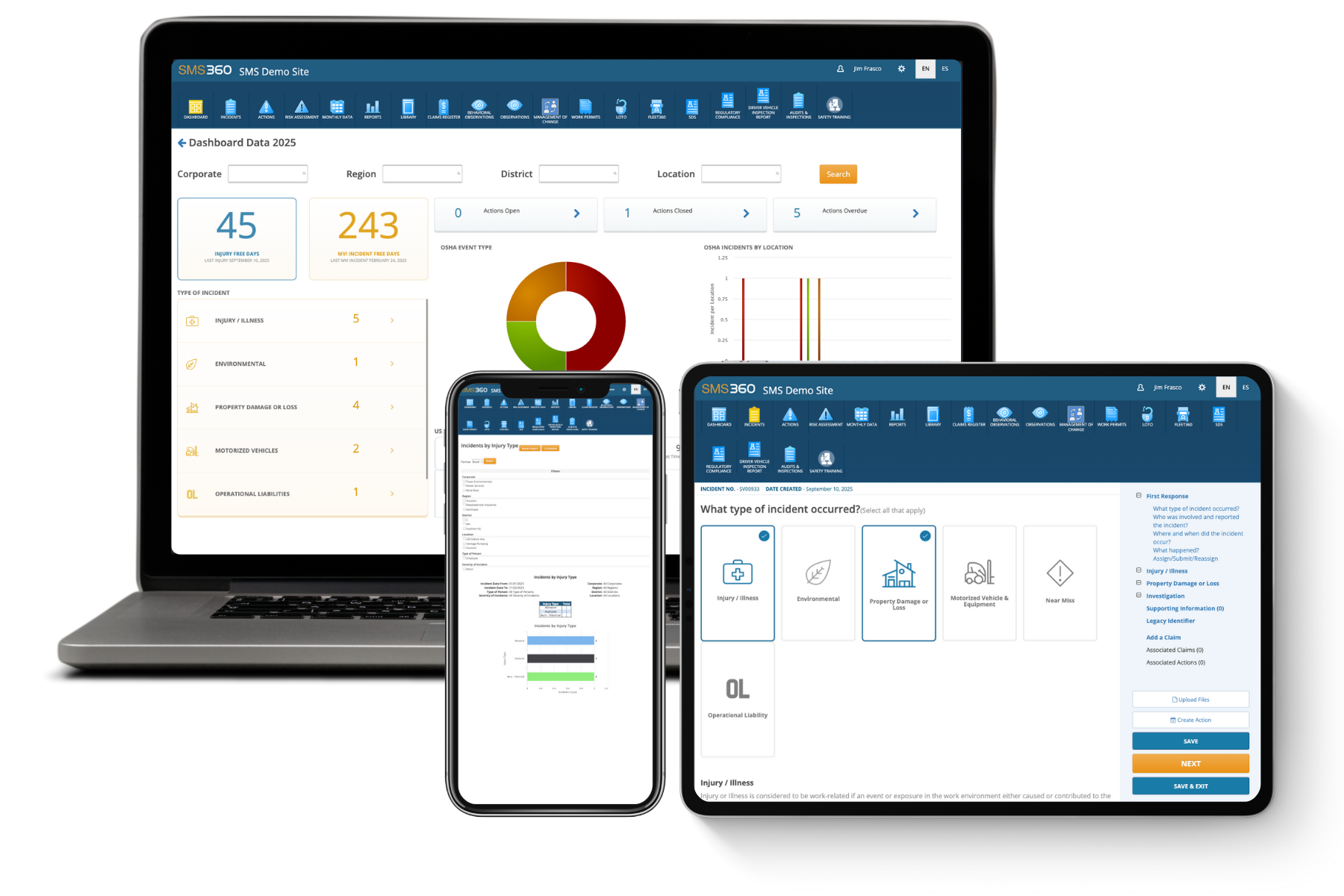
Laptop, smartphone, and tablet displaying SMS360 Demo Site with dashboards and incident reporting interfaces.

See how SMS360 simplifies safety, compliance, and reporting — all in one easy-to-use platform.

Explore the Core Modules That Power SMS360

Unite your entire safety program — incidents, audits, training, and compliance — in one place.

Audits & Inspections
Simplify every audit and inspection and stay compliant-ready year-round.
Conduct inspections on desktop, tablet, or mobile — even offline.
Customize checklists for departments, sites, or equipment.
Instantly flag and assign corrective actions to stay compliant.
Learn More
Incident Management
Take control of incidents from first response to resolution — all in one place.
Automate OSHA and DOT reporting with digital incident logs.
Capture photos, witness statements, and root causes in seconds.
Track corrective actions to close out incidents faster and prevent repeats.
Learn More
Regulatory Compliance
Keep your facility compliant with OSHA, DOT, and EPA — without the paperwork.
Manage permits, notices of violation, and inspection history.
Stay ahead of deadlines with automatic reminders and alerts.
Generate compliance reports in seconds for internal or external audits.
Learn More
Safety Observations
Identify risks before they become incidents — empower teams to act on the spot.
Log unsafe conditions or behaviors from any device.
Track trends by site, department, or supervisor.
Close the loop with automatic follow-ups and status tracking.
Learn More
Training Management
Build safer, smarter teams with consistent, trackable employee training and tracking management software.
Automate reminders, track sessions, and ensure timely completion.
Centralize attendance, upload documents, and maintain records.
Manage classroom and on-the-job training from a single platform.
Learn More
Risk Assessment
Turn environmental, health, and safety data into insight — predict and prevent what’s next.
Analyze trends and exposure using customizable risk models.
Rank hazards by severity and likelihood for smarter prevention.
Export visual risk reports for leadership and safety committees.
Learn More
Fleet Management
Manage drivers, vehicles, and inspections with Fleet360, software for fleet management.
Track driver qualifications, vehicle history, and DVIR logs.
Automate maintenance scheduling and compliance checks.
Stay FMCSA-ready with digital records and reports.
Learn More
Claims Management
Simplify the claims management process and get visibility into every cost and outcome.
Track claim expenses, statuses, and resolutions in real time.
Attach documentation, reports, and correspondence securely.
Reduce claim turnaround times with automated follow-up workflows.
Learn More
Work Permits
Digitize your permit process to ensure every task is reviewed, approved, and performed safely.
Create, review, and approve permits for high-risk work in minutes.
Assign responsible personnel and verify authorizations before tasks begin.
Track active, pending, and expired permits in real time.
Learn More
Lockout Tagout (LOTO)
Ensure equipment is safely locked and tagged before maintenance starts with SMS360's lockout tagout software.
Digitize and verify lockout/tagout procedures per asset.
Track authorization and completion for every employee.
Reduce equipment-related injuries and OSHA violations.
Learn More
Safety Data Sheets
Keep all chemical safety data accessible and compliant in one, easy-to-use SDS management system.
Store, search, and update SDS records anytime.
Provide instant access to workers during emergencies.
Ensure regulatory compliance with centralized documentation.
Learn More
Management of Change
Control how organizational, process, or equipment changes are requested, reviewed, and approved.
Submit and track change requests with clear status updates.
Assign reviewers and document risk or cost impacts instantly.
Maintain an auditable record of approvals and dispositions.
Learn More
Actions Management
Assign corrective and preventative  actions, set priorities, and monitor your team's progress to ensure nothing slips through the cracks.
Create, assign, and monitor actions with real-time updates.
Prioritize actions by risk level and due date.
Attach documents and notes for a complete audit trail.
Learn More
Document Library
Keep every safety and compliance file in one secure place. Upload, organize, and share documents instantly with full version control.
Store SDSs, manuals, and training files in one hub.
Add quick links to OSHA and external resources.
Manage permissions to control file access.
Learn More
Analytics & Reports
Generate reports, track KPIs, and uncover trends to improve environmental, health, and safety performance.
Instantly create OSHA, KPI, and incident reports.
Spot trends with causal analysis tools in SMS360.
Schedule and share safety and fleet reports.
Learn More