Safety Management

Hotel Housekeeper Safety: Panic Buttons, Lone Work and the Laws

Hotel housekeepers work alone in guest rooms. Learn which states and cities require panic buttons and how to build a program that keeps your staff safe.
October 2, 2026

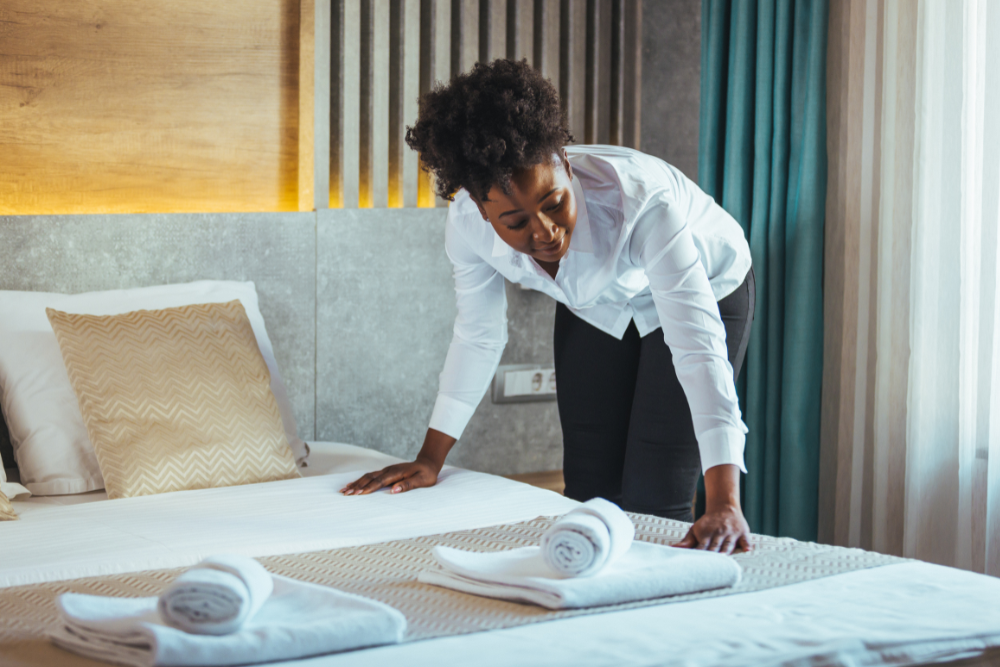
Housekeepers see more of a hotel than almost anyone else on staff. They enter dozens of guest rooms a day, usually alone, often with the door closed behind them. That isolation is what makes the job efficient, and it's also what makes it risky.

Whether you manage a large Orlando resort with multi-bedroom suites or a 60-room roadside hotel, the people who clean your rooms face the same exposure: harassment or assault by guests, physical strain, chemical contact and the simple problem of being out of sight if something goes wrong. A growing number of states and cities now require hotels to give these workers panic buttons. This guide covers the risks, the laws and how to build a program that actually protects your team.

The Risks Housekeepers Face Alone in Guest Rooms

  • Harassment and assault. Guests may expose themselves, make unwanted advances or become physically threatening. A housekeeper inside a room with the door closed has few ways to get help quickly.
  • Medical emergencies. A fall, a back injury or a sudden illness can leave a worker unable to reach a phone.
  • Unsafe room conditions. Needles, drug paraphernalia, weapons or aggressive pets can be left behind in a room.
  • Physical strain. Lifting mattresses, pushing heavy carts and scrubbing bathrooms are repetitive, forceful tasks that lead to back and shoulder injuries.
  • Chemical exposure. Cleaning products can irritate skin, eyes and lungs, especially in small, poorly ventilated bathrooms.

Choosing and Running a Panic Button Program

A device only protects workers if help arrives quickly. Plan the response before choosing the hardware.

What to look for in a device

  • Location accuracy. Responders need to know which room or floor the worker is on, not just that an alert went off.
  • Coverage everywhere staff work. Test in stairwells, back corridors, basements and outbuildings, where signal is often weak.
  • Easy, discreet activation. Workers should be able to trigger an alert without the guest noticing.
  • Battery and charging routines. Assign devices at the start of each shift and check them at the end.

Plan the response

  • Decide who receives alerts, such as security, the front desk or a manager, and how quickly they must respond.
  • Write down when to call 911.
  • Let the worker leave the room immediately, and support them afterward.
  • Log every alert, even false ones, and review response times.

Train and test

  • Train every housekeeper and supervisor on the device and the response steps, in the languages your staff speak.
  • Run drills on day, night and weekend shifts.
  • Make it clear that workers will never be disciplined for using the device.

Policies Beyond the Device

Panic buttons work best as part of a wider approach to housekeeper safety.

  • Door policy. Let housekeepers keep the room door open while cleaning, and allow them to skip a room if a guest is present and they feel unsafe.
  • Clear reporting. Make it easy to report harassment or a threatening guest, and act on every report.
  • Guest accountability. Have a written policy for responding to guests who harass staff, up to removing them from the property.
  • Buddy system. Send two staff members to rooms flagged for concern.
  • Sharps and hazards. Provide sharps containers and puncture-resistant gloves, and train staff never to reach blindly under beds or into bins.

Preventing Physical Injuries

Harassment gets the headlines, but strain injuries are the most common harm in housekeeping.

  • Use lighter, motorized or easy-rolling carts.
  • Provide long-handled tools so workers don't kneel to clean tubs and floors.
  • Use fitted sheets and lighter bedding where possible, and train workers to lift mattresses with their legs, not their backs.
  • Set realistic room quotas that leave time for safe work.
  • Choose milder cleaning products, provide gloves, and ventilate bathrooms during cleaning.

Frequently Asked Questions

Are hotel panic buttons required by law?

In some places. New Jersey, Illinois and Washington State require them, as do cities including New York City, Chicago, Seattle, Miami Beach and several in California. Elsewhere they're voluntary, but many hotel brands provide them anyway.

Who should carry a panic button?

Anyone who works alone in guest rooms or isolated areas: housekeepers, room service attendants, minibar staff and maintenance workers.

What should happen when a panic button is pressed?

A designated responder, such as security or a manager, should receive the alert with the worker's location and go to them immediately, calling 911 when needed.

Does a panic button replace other safety measures?

No. It works alongside door policies, reporting procedures, guest accountability and training.

Protecting the People Who Keep Hotels Running

Housekeepers are essential to every guest's stay, and they deserve to feel safe doing their jobs. A reliable panic button, a fast response plan and clear policies on guest behavior protect workers, help hotels meet the law where it applies, and show staff their safety is taken seriously.

Sources

Laptop, smartphone, and tablet displaying SMS360 Demo Site with dashboards and incident reporting interfaces.

See how SMS360 simplifies safety, compliance, and reporting — all in one easy-to-use platform.

Explore the Core Modules That Power SMS360

Unite your entire safety program — incidents, audits, training, and compliance — in one place.

Audits & Inspections
Simplify every audit and inspection and stay compliant-ready year-round.
Conduct inspections on desktop, tablet, or mobile — even offline.
Customize checklists for departments, sites, or equipment.
Instantly flag and assign corrective actions to stay compliant.
Learn More
Incident Management
Take control of incidents from first response to resolution — all in one place.
Automate OSHA and DOT reporting with digital incident logs.
Capture photos, witness statements, and root causes in seconds.
Track corrective actions to close out incidents faster and prevent repeats.
Learn More
Regulatory Compliance
Keep your facility compliant with OSHA, DOT, and EPA — without the paperwork.
Manage permits, notices of violation, and inspection history.
Stay ahead of deadlines with automatic reminders and alerts.
Generate compliance reports in seconds for internal or external audits.
Learn More
Safety Observations
Identify risks before they become incidents — empower teams to act on the spot.
Log unsafe conditions or behaviors from any device.
Track trends by site, department, or supervisor.
Close the loop with automatic follow-ups and status tracking.
Learn More
Training Management
Build safer, smarter teams with consistent, trackable employee training and tracking management software.
Automate reminders, track sessions, and ensure timely completion.
Centralize attendance, upload documents, and maintain records.
Manage classroom and on-the-job training from a single platform.
Learn More
Risk Assessment
Turn environmental, health, and safety data into insight — predict and prevent what’s next.
Analyze trends and exposure using customizable risk models.
Rank hazards by severity and likelihood for smarter prevention.
Export visual risk reports for leadership and safety committees.
Learn More
Fleet Management
Manage drivers, vehicles, and inspections with Fleet360, software for fleet management.
Track driver qualifications, vehicle history, and DVIR logs.
Automate maintenance scheduling and compliance checks.
Stay FMCSA-ready with digital records and reports.
Learn More
Claims Management
Simplify the claims management process and get visibility into every cost and outcome.
Track claim expenses, statuses, and resolutions in real time.
Attach documentation, reports, and correspondence securely.
Reduce claim turnaround times with automated follow-up workflows.
Learn More
Work Permits
Digitize your permit process to ensure every task is reviewed, approved, and performed safely.
Create, review, and approve permits for high-risk work in minutes.
Assign responsible personnel and verify authorizations before tasks begin.
Track active, pending, and expired permits in real time.
Learn More
Lockout Tagout (LOTO)
Ensure equipment is safely locked and tagged before maintenance starts with SMS360's lockout tagout software.
Digitize and verify lockout/tagout procedures per asset.
Track authorization and completion for every employee.
Reduce equipment-related injuries and OSHA violations.
Learn More
Safety Data Sheets
Keep all chemical safety data accessible and compliant in one, easy-to-use SDS management system.
Store, search, and update SDS records anytime.
Provide instant access to workers during emergencies.
Ensure regulatory compliance with centralized documentation.
Learn More
Management of Change
Control how organizational, process, or equipment changes are requested, reviewed, and approved.
Submit and track change requests with clear status updates.
Assign reviewers and document risk or cost impacts instantly.
Maintain an auditable record of approvals and dispositions.
Learn More
Actions Management
Assign corrective and preventative  actions, set priorities, and monitor your team's progress to ensure nothing slips through the cracks.
Create, assign, and monitor actions with real-time updates.
Prioritize actions by risk level and due date.
Attach documents and notes for a complete audit trail.
Learn More
Document Library
Keep every safety and compliance file in one secure place. Upload, organize, and share documents instantly with full version control.
Store SDSs, manuals, and training files in one hub.
Add quick links to OSHA and external resources.
Manage permissions to control file access.
Learn More
Analytics & Reports
Generate reports, track KPIs, and uncover trends to improve environmental, health, and safety performance.
Instantly create OSHA, KPI, and incident reports.
Spot trends with causal analysis tools in SMS360.
Schedule and share safety and fleet reports.
Learn More