For decades, spreadsheets have been the default tool for managing environment, health, and safety (EHS) programs. They're familiar, flexible, and already installed on every computer in the office. Safety managers have built incident logs, training matrices, inspection checklists, and compliance calendars in Excel, often refining them over years into elaborate workbooks that only one or two people truly understand.
But as regulatory requirements grow more complex, workforces become more distributed, and executives demand real-time visibility into safety performance, the cracks in the spreadsheet approach have become impossible to ignore. What once felt like a cost-effective solution now quietly drains hours of productivity, introduces preventable errors, and leaves organizations exposed to compliance risk.
This article breaks down exactly where spreadsheets fall short, how purpose-built EHS software addresses those gaps, and what organizations should consider when deciding whether it's time to make the switch.
The Hidden Costs of Managing EHS in Spreadsheets
On the surface, spreadsheets look free. Your organization already pays for Microsoft Office or Google Workspace, so there's no new line item in the budget. But the true cost of spreadsheet-based EHS management shows up in places finance never sees: wasted labor hours, missed deadlines, data errors, and the incalculable cost of an incident that better data might have prevented.
Manual Data Entry Eats Your Team Alive
Every incident report, inspection finding, training record, and audit result has to be typed into a spreadsheet by hand. In many organizations, that data is first captured on paper forms in the field, then transcribed into Excel back at a desk, meaning the same information is recorded twice. Studies of administrative work consistently show that manual double-entry is one of the largest sources of both wasted time and transcription errors.
Multiply that across dozens of sites, hundreds of employees, and thousands of records per year, and safety professionals can easily spend a third or more of their working hours simply moving data from one place to another instead of analyzing it or acting on it.
Version Control Chaos
Anyone who has managed a shared spreadsheet knows the pain: "Incident_Log_2025_FINAL_v3_UPDATED_Johns_edits.xlsx." When multiple people need to update the same file, you end up with conflicting copies, overwritten changes, and no reliable way to know which version is the source of truth. Even cloud-based spreadsheets with simultaneous editing don't solve the deeper problem, because there's no structured workflow controlling who can change what, when, and why.
For EHS data, this isn't just an annoyance. If an OSHA inspector asks for your incident records and you hand over a log that's missing entries because someone worked from an outdated copy, that's a compliance failure with real consequences.
Human Error at Scale
Research on spreadsheet quality has repeatedly found that a large majority of complex spreadsheets contain at least one significant error, whether a broken formula, a misplaced decimal, a sort that scrambled rows, or data pasted into the wrong column. In financial modeling, those errors cost money. In EHS, they can mean an OSHA recordable that never gets recorded, a training expiration that goes unnoticed, or a corrective action that silently falls off the list.
Spreadsheets have no built-in validation for EHS-specific logic. Nothing stops a user from entering an injury date that precedes the hire date, classifying a recordable incident as a near miss, or leaving a required field blank. The spreadsheet doesn't know or care; it just stores whatever it's given.
No Audit Trail, No Accountability
When a regulator, auditor, or attorney asks who changed a record, when, and why, a spreadsheet has no good answer. Cell histories in cloud spreadsheets are shallow and cumbersome to reconstruct, and desktop Excel files have essentially none. In a legal dispute following a serious incident, the inability to demonstrate the integrity of your safety records can become a liability all by itself.
What Purpose-Built EHS Software Does Differently
EHS software isn't just a prettier spreadsheet. It's a fundamentally different architecture: a centralized database with structured workflows, role-based permissions, automated logic, and reporting built specifically around safety and compliance processes.
One Source of Truth, Accessible Everywhere
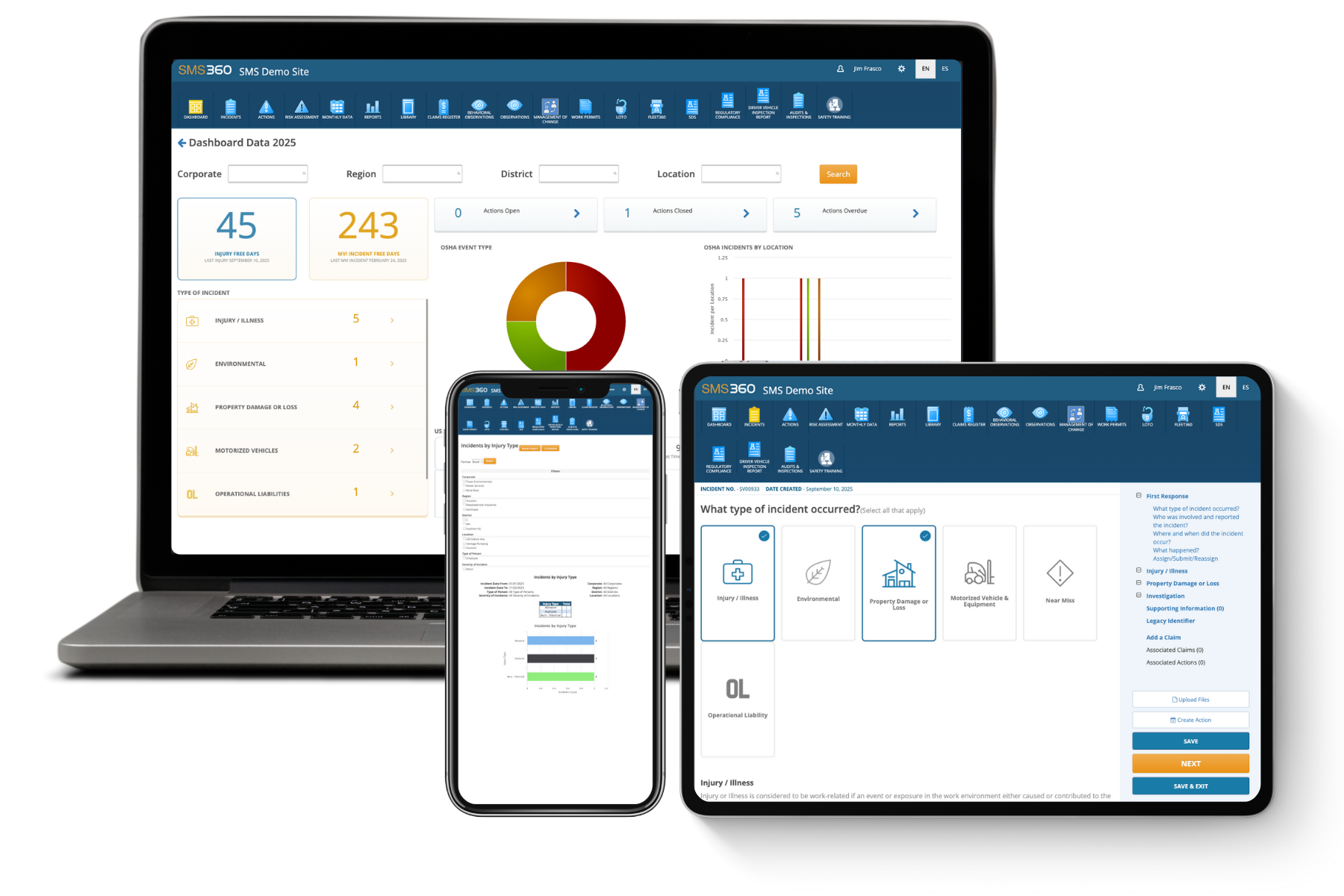
Modern EHS platforms are cloud-based, which means every user, from the corporate safety director to a frontline supervisor on the night shift, works from the same live data. There are no competing file versions, no emailing workbooks back and forth, and no waiting until someone gets back to their desk to log an observation.
Mobile access changes the game for field data collection. Workers can report hazards, complete inspections, and document incidents from a phone or tablet at the point of work, often with photos attached, even offline in remote locations. The data syncs automatically, eliminating the paper-to-spreadsheet transcription step entirely.
Automated Workflows That Actually Close the Loop
The biggest operational difference between software and spreadsheets is what happens after data is entered. In a spreadsheet, a new incident row just sits there until a human remembers to do something about it. In EHS software, that same incident automatically triggers a workflow: notifications go to the right managers, an investigation is assigned with a due date, corrective actions are created and tracked, and escalation rules kick in if deadlines slip.
This closed-loop capability is where most safety programs live or die. Identifying hazards is easy; ensuring every one of them is resolved, verified, and documented is what spreadsheets consistently fail to do at scale.
Compliance Built In, Not Bolted On
Purpose-built EHS systems come with regulatory intelligence baked in. OSHA recordkeeping logic determines whether an incident is recordable and populates your 300, 300A, and 301 forms automatically. Many platforms support electronic submission to regulators, track permit and certification expirations, and update their frameworks as regulations change.
With spreadsheets, all of that regulatory knowledge lives in the head of whoever built the workbook. When that person retires, changes roles, or simply misremembers a rule, the organization's compliance posture degrades invisibly.
Real-Time Dashboards and Leading Indicators
Executives increasingly expect safety performance to be reported like any other business metric: current, visual, and trend-based. Producing a monthly report from spreadsheets typically means hours of copying, pasting, pivot-tabling, and chart formatting, and the result is already out of date the moment it's finished.
EHS software generates dashboards in real time. More importantly, it makes it practical to track leading indicators, such as near-miss reports, inspection completion rates, safety observations, and training currency, rather than only lagging indicators like injury rates. Organizations that manage by leading indicators consistently identify and correct hazards before they cause harm, which is the entire point of a safety program.
Spreadsheets vs. EHS Software: A Side-by-Side Reality Check
To make the comparison concrete, consider how each approach handles the core functions of an EHS program.
Incident Management
With spreadsheets, incident reporting depends on paper forms or emails that someone later types into a log. Details get lost, near misses go unreported because reporting is inconvenient, and follow-up depends on individual diligence. With EHS software, anyone can report an incident from a mobile device in minutes, investigations follow a structured process with root cause analysis tools, and corrective actions are automatically assigned and tracked to closure.
Inspections and Audits
Spreadsheet-based inspections usually mean printed checklists, clipboard notes, and after-the-fact data entry. Findings frequently stall in someone's inbox. Software-based inspections use digital checklists on mobile devices, capture photo evidence in the moment, and convert every finding into a tracked action item the instant the inspection is submitted.
Training and Certification Tracking
A training matrix in Excel requires someone to manually check expiration dates and chase down employees. It only takes one busy month for lapses to slip through. EHS software monitors training status continuously, sends automatic reminders to employees and their supervisors before certifications expire, and can block work assignments for unqualified personnel.
Reporting and Analytics
Spreadsheet reporting is retrospective and labor-intensive. Software reporting is instant, filterable by site, department, or time period, and capable of surfacing trends, like a spike in hand injuries at one facility, that would be nearly invisible across dozens of disconnected workbooks.
Integration With the Rest of Your Business
Spreadsheets are islands. An Excel training matrix has no idea when HR hires a new employee, and an incident log has no connection to the maintenance system where equipment repairs are managed. EHS software, by contrast, typically integrates with HR platforms to sync employee rosters automatically, with maintenance systems to convert safety findings into work orders, and with single sign-on providers so users don't need yet another password. These connections eliminate whole categories of manual updates and ensure that safety data reflects the actual, current state of the organization rather than the state of things the last time someone remembered to update the file.
The Business Case: ROI Beyond Compliance
The financial argument for EHS software rests on four pillars.
Labor savings. Automating data collection, report generation, and follow-up tracking routinely frees up a substantial share of the EHS team's time, capacity that can be redirected from administration to actual risk reduction.
Incident reduction. Better hazard visibility, faster corrective action closure, and leading-indicator management reduce injury frequency. Given that the fully loaded cost of a single lost-time injury commonly runs into tens of thousands of dollars, and serious incidents far more, even a modest reduction in incident rates can pay for a software platform many times over.
Avoided penalties. OSHA penalties for serious violations now exceed $16,000 per violation, and willful or repeated violations can exceed $160,000 each. Software that keeps recordkeeping accurate and deadlines met is inexpensive insurance by comparison.
Insurance and reputation. Many organizations find that demonstrable, data-driven safety management strengthens their position in workers' compensation negotiations, client prequalification processes, and contractor scorecards, places where a shoebox of spreadsheets simply doesn't compete.
When Spreadsheets Are Still (Sort of) Okay
Honesty matters here: a five-person shop with one location and a handful of incidents a year can probably get by with well-organized spreadsheets, at least for a while. The tipping point tends to arrive when any of the following become true: you operate multiple sites, you have more than a few dozen employees, you face meaningful regulatory exposure, more than one person needs to update records, or leadership starts asking for safety metrics you can't produce quickly.
If any of those describe your organization, the question isn't whether spreadsheets will fail you, but when, and how much it will cost when they do.
How to Make the Transition Successfully
Moving off spreadsheets doesn't have to be disruptive. Organizations that make the switch smoothly tend to follow a similar playbook.
Start With Your Biggest Pain Point
Don't try to digitize everything at once. Pick the process causing the most pain, often incident management or inspections, implement it well, and expand from there. Early wins build momentum and user buy-in.
Clean Your Data Before You Migrate
Migration is the perfect opportunity to standardize categories, retire obsolete records, and fix inconsistencies that have accumulated in your spreadsheets for years. Most EHS vendors provide import templates and migration support.
Involve Frontline Users Early
The people who will actually enter data, supervisors, operators, technicians, should help evaluate and configure the system. If reporting a hazard takes more taps in the new system than scribbling on a form did, adoption will suffer. Choose software that makes the frontline experience faster, not slower.
Measure Before and After
Baseline your current state: hours spent on reporting, average corrective action closure time, near-miss reporting rates, training compliance percentage. These metrics will demonstrate ROI to leadership and highlight where the new system is delivering.
The Bottom Line
Spreadsheets were never designed to manage safety programs; they were designed to calculate. Every capability an EHS program actually needs, structured workflows, mobile data capture, automated accountability, regulatory logic, real-time visibility, and defensible audit trails, has to be improvised in a spreadsheet and comes standard in purpose-built software.
The organizations still running EHS on Excel aren't saving money. They're spending it invisibly, in transcription hours, in errors, in missed deadlines, and in risk they can't see because their data can't show it to them. As EHS software has become more affordable and easier to deploy, the calculus has shifted decisively: for any organization serious about protecting its people and its compliance standing, dedicated EHS software isn't a luxury upgrade. It's the baseline.
Frequently Asked Questions
1. Is EHS software worth it for a small business?
It depends on your risk profile more than your headcount. A small manufacturer, construction firm, or chemical handler faces regulatory and injury risks that justify software even with a small team, and many vendors offer affordable entry-level tiers priced per user. A small office-based business with minimal hazards may reasonably stick with simple tools longer. The key question is whether a single missed deadline, unrecorded incident, or lapsed certification could cost you more than a year of software fees, and for most safety-sensitive businesses, the answer is yes.
2. How long does it take to implement EHS software?
For cloud-based platforms, core modules like incident management and inspections can typically be live in a few weeks to a couple of months, depending on how much configuration and data migration you need. Enterprise deployments across many sites with integrations to HR and ERP systems can take six months or more. A phased rollout, starting with one module and one site, gets value flowing fastest.
3. Can't I just use Google Sheets or Excel so everyone can edit the same file?
Shared cloud spreadsheets solve the version-control problem but none of the others. You still have no workflow automation, no notifications or escalations, no regulatory logic, no meaningful audit trail, no mobile-optimized field data capture, and no protection against data-entry errors. Simultaneous editing actually increases the risk of accidental changes to formulas and historical records. Google Sheets is a better spreadsheet, but it's still a spreadsheet.
4. What happens to all my historical spreadsheet data when I switch?
Most EHS platforms support importing historical records through templates or vendor-assisted migration, so you don't lose your incident history or training records. In practice, many organizations migrate the last three to five years of key records, the period regulators and auditors most often examine, and archive older spreadsheets as read-only reference files. Ask any prospective vendor about migration support before you buy.
5. How do I get frontline employees to actually use the new system?
Adoption comes down to convenience and visible follow-through. Choose software with a simple mobile experience so reporting a hazard takes less than a minute, involve frontline workers in the selection process, provide short hands-on training rather than lengthy manuals, and, most importantly, make sure reported issues actually get fixed and workers hear about it. Nothing kills adoption faster than reports disappearing into a void, and nothing builds it faster than seeing your report lead to action within days.