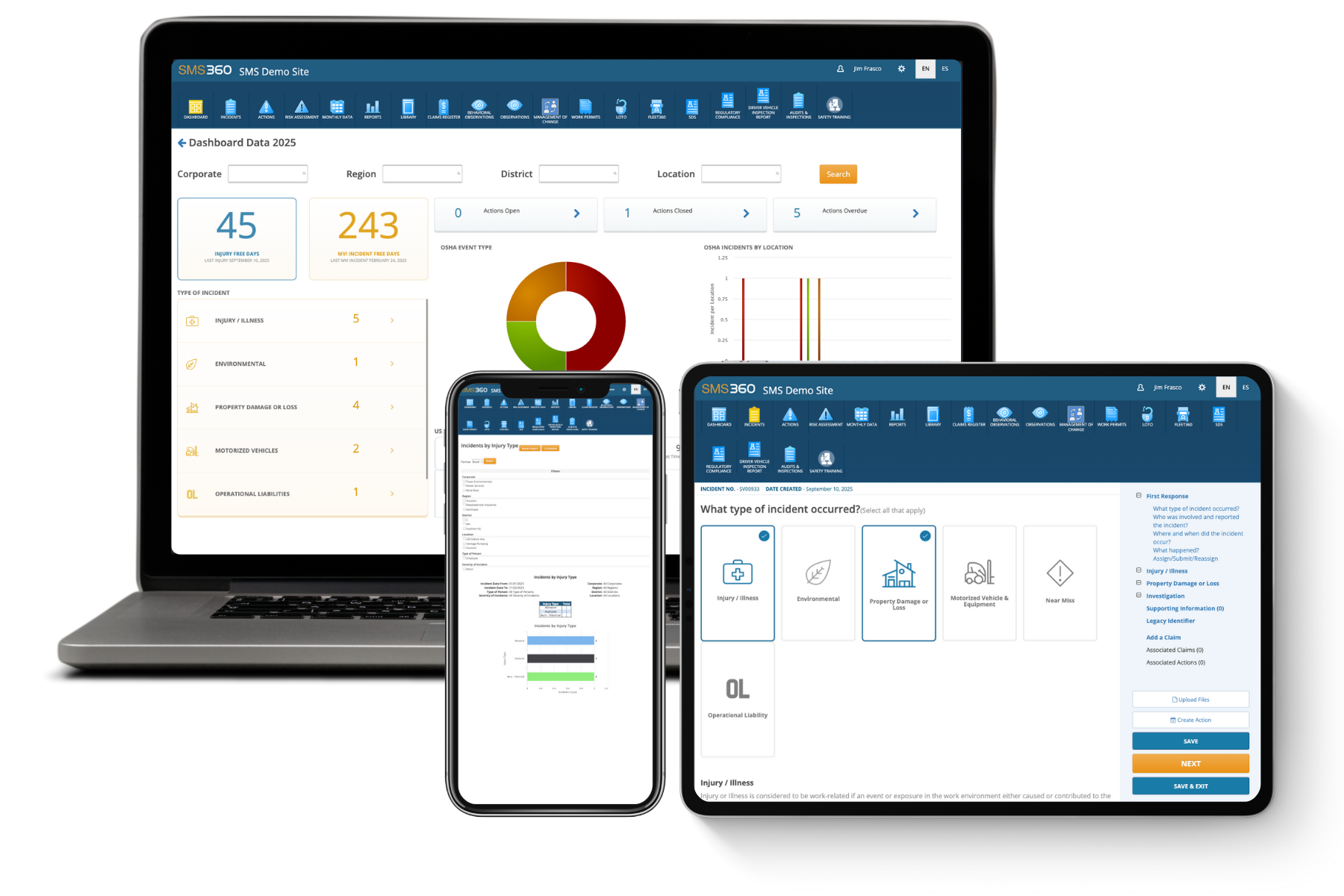
For many organizations, SharePoint was the natural starting point for managing environmental, health, and safety (EHS) documentation. It was already installed, already familiar, and flexible enough to build a workable system of folders, lists, and forms without needing a dedicated budget line. But what starts as a reasonable stopgap often turns into a long-term liability as safety programs mature, regulatory requirements grow more complex, and the volume of incidents, inspections, and training records expands well beyond what SharePoint was ever designed to handle.
This guide explores why organizations eventually outgrow SharePoint for EHS management, what a dedicated EHS software platform offers that SharePoint can't, and how to plan a smooth, low-disruption transition from one system to the other.
Why Organizations Start With SharePoint for EHS
It's Already There
SharePoint is bundled with many Microsoft 365 enterprise licenses, meaning organizations often have access to it without any additional procurement process. For safety teams working with limited budgets, especially in the early stages of building out a formal EHS program, this makes SharePoint an easy default choice.
It's Flexible Enough to Get Started
SharePoint's document libraries, custom lists, and basic workflow capabilities allow safety teams to build a reasonably functional system for storing policies, logging incidents, and tracking training completions. For a small organization with a handful of locations and a relatively simple safety program, this can work adequately for a while.
IT Departments Already Know How to Support It
Because SharePoint is a widely used enterprise tool, most IT departments already have the internal expertise to support it, reducing the friction of introducing a new, unfamiliar system that might require specialized technical support.
Where SharePoint Falls Short for EHS Management
Lack of Purpose-Built EHS Functionality
SharePoint is a general-purpose collaboration and document management platform, not a safety management system. It has no native understanding of concepts central to EHS work, such as OSHA recordkeeping logs, incident severity classification, corrective action tracking, or regulatory reporting requirements. Building this functionality requires significant custom configuration, and even then, the result is often a patchwork of workarounds rather than a purpose-built solution.
Manual, Disconnected Processes
In a typical SharePoint-based EHS setup, incident reports, inspection checklists, training records, and corrective actions often live in separate lists or libraries with no automatic connection between them. This means a safety manager investigating an incident may need to manually cross-reference multiple lists to piece together the full picture, a process that becomes increasingly time-consuming and error-prone as the organization grows.
Limited Mobile and Field Usability
Much of EHS work happens away from a desk, on a shop floor, a job site, or in the field. SharePoint's mobile experience, while functional for basic document access, generally isn't designed for the kind of quick, structured data entry safety teams need for real-time incident reporting, inspections, or hazard observations conducted on a mobile device with limited connectivity.
Weak Reporting and Analytics
While SharePoint can display lists and basic charts, it lacks the built-in analytics capabilities that safety leaders need to spot trends across incident types, locations, or root causes over time. Generating meaningful safety performance reports often requires exporting data to Excel or a separate business intelligence tool, adding extra steps and introducing opportunities for data to become inconsistent or outdated.
No Built-In Regulatory Logic
Regulatory requirements like OSHA recordkeeping rules, hazard communication standards, or industry-specific compliance obligations change periodically, and organizations need their systems to stay current with those changes. SharePoint has no inherent awareness of regulatory requirements, meaning compliance logic must be manually built, maintained, and updated by internal staff whenever rules change, which is both resource-intensive and prone to falling out of date.
Difficulty Scaling Across Multiple Locations
For organizations with multiple facilities, especially those in different regulatory jurisdictions, a SharePoint-based system often becomes unwieldy quickly. Standardizing forms and processes across locations while still allowing for necessary local variation requires significant manual governance, and inconsistencies between site-level implementations are common as different teams customize their own version of "the system" over time.
Version Control and Data Integrity Risks
Without strict, consistently enforced governance, SharePoint document libraries can accumulate duplicate files, outdated versions, and inconsistent naming conventions over time. In a safety context, this creates real risk: an employee referencing an outdated safety procedure or an auditor unable to confirm which version of a document was in effect during a specific incident can have serious consequences.
Audit and Inspection Readiness Gaps
When a regulatory inspector or internal auditor requests specific records, such as a complete training history for an employee or documentation of corrective actions tied to a specific incident, pulling that information together quickly from a scattered SharePoint setup can be a slow, stressful process, particularly compared to a dedicated system designed to generate audit-ready reports on demand.
What Dedicated EHS Software Offers Instead
Purpose-Built Modules for Core Safety Processes
Dedicated EHS platforms typically include modules specifically designed for incident management, audits and inspections, corrective and preventive action (CAPA) tracking, training management, and regulatory recordkeeping, with each module built around the actual workflows safety professionals use, rather than generic document and list structures adapted after the fact.
Automatic Linking Between Related Records
In a mature EHS platform, an incident report can automatically link to the corrective actions it generates, the training records of employees involved, and the specific location and equipment associated with the event, creating a connected, traceable record rather than a collection of separate files that need to be manually cross-referenced.
Mobile-First Field Data Collection
Most modern EHS software is designed with field usability as a core requirement, offering mobile apps built specifically for tasks like conducting safety inspections, logging near misses, or completing checklists on the spot, often with offline functionality that syncs once connectivity is restored.
Built-In Regulatory Frameworks
Established EHS platforms typically maintain built-in regulatory logic aligned with standards like OSHA recordkeeping requirements, and many vendors actively update these frameworks as regulations change, reducing the burden on internal teams to track and manually implement every regulatory update themselves.
Real-Time Dashboards and Analytics
Dedicated platforms generally include built-in safety analytics dashboards that surface trends across incident types, locations, departments, and root causes without requiring manual data exports, giving safety leaders faster visibility into where risk is concentrated and where intervention is needed.
Standardization With Local Flexibility
Modern EHS platforms are generally designed to support multi-site organizations, allowing a corporate safety team to standardize core processes and forms across the organization while still accommodating necessary local or regional variation in a controlled, governed way, rather than relying on informal site-by-site customization.
Audit Trails and Version Control
EHS-specific platforms typically include automatic audit trails documenting who created, modified, or approved a record and when, along with formal document version control, which significantly simplifies demonstrating regulatory compliance during an inspection or audit.
Planning Your Transition From SharePoint to EHS Software
Step 1: Conduct a Data and Process Inventory
Before migrating anything, take stock of what currently exists in SharePoint: which document libraries, lists, and forms are actively used, which have become outdated or redundant, and what manual processes exist around them. This inventory becomes the foundation for deciding what needs to migrate, what can be retired, and what current processes need to be redesigned to take advantage of purpose-built EHS functionality.
Step 2: Define Requirements Based on Actual Safety Workflows
Rather than trying to replicate the existing SharePoint setup exactly in a new system, use the transition as an opportunity to map out what your safety team's ideal workflows actually look like, then evaluate EHS software options based on how well they support those workflows, including incident investigation, corrective action tracking, training compliance, and audit management.
Step 3: Involve Stakeholders Early
A successful transition benefits from early input not just from the safety team, but from IT, operations leadership, and frontline employees who will use the system day to day. Frontline input in particular helps ensure the new system's field usability, especially on mobile devices, actually meets the practical needs of people conducting inspections or reporting incidents on the shop floor or job site.
Step 4: Plan the Data Migration Carefully
Migrating historical incident records, training histories, and inspection data from SharePoint into a new EHS platform requires careful planning, particularly around data formatting and mapping fields from the old system to the new one. Organizations should decide in advance how much historical data needs to be migrated versus archived separately, since not every organization needs to bring years of legacy data into the new system in an actively usable format.
Step 5: Run a Parallel or Phased Rollout
Rather than switching every process over at once, many organizations find success running a phased rollout, starting with a single module, like incident reporting, or a single site, before expanding to the full organization. This allows the safety team to identify and resolve configuration issues on a smaller scale before a full rollout, reducing overall disruption.
Step 6: Invest in Training and Change Management
Employees accustomed to the old SharePoint-based process, however imperfect, will need genuine training and support to adopt a new system confidently. Change management efforts, including clear communication about why the transition is happening and what specific benefits it brings to day-to-day work, significantly improve adoption rates compared to simply announcing a new system and expecting immediate compliance.
Step 7: Retire the Old System Deliberately
Once the new EHS platform is fully operational and adopted, plan a deliberate sunset of the SharePoint-based system, including a clear archival strategy for any historical records that won't be actively migrated, to avoid a confusing situation where employees continue referencing outdated information in the old system out of habit.
Common Challenges During the Transition
Underestimating Data Cleanup Effort
Organizations often underestimate how much cleanup is needed before migrating data out of a loosely governed SharePoint environment. Duplicate records, inconsistent naming conventions, and outdated documents accumulated over years often require significant manual review before migration, and building adequate time into the project plan for this step prevents rushed, incomplete migrations.
Resistance to Change
Employees who have grown accustomed to a familiar, if imperfect, SharePoint-based process sometimes resist adopting a new system, particularly if they don't clearly understand the practical benefits. Clear communication about specific pain points the new system resolves, rather than a general announcement about "improving efficiency," tends to generate stronger buy-in.
Incomplete Requirements Gathering
Selecting an EHS platform without a clear understanding of the organization's specific regulatory requirements, site structure, and workflow needs can lead to choosing a system that doesn't actually fit well, resulting in yet another round of workarounds similar to the original SharePoint problem the transition was meant to solve.
Underinvesting in Training
Even an excellent EHS platform will underperform if employees aren't properly trained to use it. Organizations that treat training as a brief afterthought, rather than a core part of the implementation plan, often see slower adoption and continued reliance on old habits and workarounds.
Signs It's Time to Move on From SharePoint
Your Safety Team Spends More Time Managing the System Than Managing Safety
If significant time is spent manually reconciling data across lists, chasing down document versions, or building custom workarounds just to get basic reporting, the system itself has become a burden rather than a tool that supports the safety program's actual mission.
You're Struggling to Demonstrate Compliance During Audits
If pulling together documentation for a regulatory audit or inspection requires days of manual effort across scattered SharePoint libraries, this is a strong signal that the current system isn't providing the audit-readiness a mature safety program needs.
Your Organization Has Outgrown a Single-Site Mindset
Organizations that started with SharePoint while managing a single location often find the system becomes genuinely unworkable once they expand to multiple sites, particularly across different regulatory jurisdictions, since maintaining consistency without dedicated EHS functionality becomes increasingly difficult at scale.
Leadership Lacks Real-Time Visibility Into Safety Performance
If safety leadership can't easily answer basic questions about incident trends, training compliance rates, or open corrective actions without requesting a custom report be built manually, the system isn't providing the visibility a data-driven safety program needs to actually drive improvement.
Frequently Asked Questions
1. How long does a typical transition from SharePoint to dedicated EHS software take?
The timeline for a SharePoint-to-EHS-software transition varies considerably based on the size of the organization, the complexity and volume of existing data, the number of facilities involved, and how much process redesign accompanies the migration rather than a simple like-for-like data transfer. For a smaller organization with a single site and relatively modest historical data, a transition might realistically be completed within two to four months, covering initial requirements gathering, platform selection, data migration, and employee training. Larger, multi-site organizations, particularly those with years of accumulated historical data and more complex regulatory requirements across different jurisdictions, often need six months to a year or more to complete a thorough transition, especially when the project includes a phased rollout across multiple locations rather than a single simultaneous cutover. It's worth noting that the timeline is often most heavily influenced not by the technical migration itself, but by the data cleanup and requirements-gathering phases that precede it; organizations that invest adequate time upfront in inventorying existing SharePoint content, identifying genuinely necessary historical data, and clearly mapping out desired workflows in the new system tend to experience a smoother and often faster implementation than those who attempt to rush directly into migration without this groundwork. Given the disruption risk involved in transitioning a system employees rely on daily for safety-critical processes, most organizations find that a somewhat longer, more deliberate timeline that includes a phased rollout and genuine change management produces significantly better long-term adoption than an aggressive, compressed timeline focused primarily on speed.
2. What happens to historical incident and training data stored in SharePoint during the transition, and does all of it need to be migrated?
Not necessarily, and this is actually one of the more important strategic decisions organizations need to make early in the transition planning process, since attempting to migrate every piece of historical data into active use within the new EHS platform often isn't practical or even particularly valuable. Many organizations find it useful to distinguish between data that needs to remain actively accessible and usable within the new system, such as current employee training records, recent incident history that's still relevant for trend analysis, and any records tied to open corrective actions, versus older historical data that primarily needs to be preserved for recordkeeping and potential audit purposes but doesn't need to be actively integrated into daily workflows within the new platform. For data in the latter category, many organizations choose to export and archive it in a structured, accessible format outside the active EHS system, ensuring it remains available if needed for a regulatory request or historical reference, without the added complexity and cost of migrating and formatting years of legacy data to fit the new system's structure. That said, certain categories of historical data typically do warrant full migration regardless of age, particularly OSHA recordkeeping logs and other records subject to specific regulatory retention requirements, since these need to remain readily accessible and properly organized to demonstrate compliance during an audit or inspection. Organizations should work closely with their EHS software vendor during implementation to understand what data migration support and tools are available, since many vendors offer structured migration assistance or templates specifically designed to import common data types like incident records and training histories, which can significantly reduce the manual effort involved compared to attempting a fully independent migration.
3. Can SharePoint be customized enough with third-party add-ons or Power Automate workflows to function adequately as an EHS system long-term?
In theory, SharePoint's flexibility, combined with tools like Power Automate for workflow automation and various third-party add-ons, can extend its functionality significantly beyond a basic document library setup, and some organizations do successfully build reasonably functional custom EHS workarounds this way, at least for a period of time. However, this approach comes with meaningful long-term tradeoffs that are important to weigh honestly rather than assuming that sufficient customization can fully close the gap with purpose-built EHS software. First, building and maintaining custom workflows and integrations requires ongoing internal technical expertise, whether from an IT department or an external consultant, and this becomes an ongoing cost and dependency that doesn't exist in the same way with an off-the-shelf EHS platform, where the vendor handles core functionality development and maintenance as part of the product itself. Second, custom-built SharePoint solutions generally can't match the depth of purpose-built regulatory logic, industry-specific best practices, and continuously updated compliance frameworks that established EHS software vendors build directly into their platforms based on extensive experience serving safety programs across many organizations and industries; replicating this level of built-in domain expertise through custom development is both resource-intensive and difficult to keep current as regulations evolve. Third, even well-executed custom SharePoint solutions often still struggle to match the mobile field usability, real-time analytics, and cross-module data connectivity that dedicated EHS platforms are specifically engineered around, since these capabilities require deeper architectural investment than incremental customization of a general-purpose collaboration tool can typically achieve. For organizations with genuinely simple, low-volume safety programs, a well-built custom SharePoint solution might remain adequate for some time, but for organizations experiencing the kind of growth, multi-site complexity, or increased regulatory scrutiny that typically prompts this transition conversation in the first place, the ongoing maintenance burden and functional limitations of a custom-built approach tend to become increasingly difficult to justify compared to adopting a platform specifically designed for EHS management from the ground up.
4. How should an organization approach selecting the right EHS software platform after deciding to move away from SharePoint?
Selecting the right EHS platform requires moving beyond a generic feature comparison and grounding the evaluation firmly in the organization's actual, specific needs, since the "best" EHS software genuinely varies depending on factors like company size, industry, regulatory environment, and the particular safety processes that matter most to that organization. A strong starting point involves clearly documenting the organization's core requirements before evaluating any specific vendors, covering essential functionality like incident management, audits and inspections, training tracking, and corrective action management, but also factors like the number of sites and users involved, specific regulatory frameworks that must be supported, integration needs with other existing systems like HR or ERP platforms, and mobile usability requirements for field-based employees. During vendor evaluation, organizations should pay close attention not just to feature checklists, but to how intuitively the platform's actual workflows match how their safety team really operates day to day, since a platform with impressive features that doesn't align well with practical usage patterns often sees poor adoption regardless of its theoretical capabilities. Requesting hands-on trials or detailed demonstrations using the organization's own real-world scenarios, rather than relying solely on a vendor's generic sales presentation, tends to surface a much clearer picture of how well a platform will actually perform in daily use. It's also worth thoroughly evaluating each vendor's implementation and ongoing support model, including what data migration assistance they provide, what training resources are available, and how responsive their support has historically been, since these factors significantly affect both the transition experience itself and the platform's long-term success within the organization; speaking with existing customers of similar size and industry, when possible, often provides more honest, practical insight into these factors than marketing materials alone can offer.
5. Will employees resist moving away from a familiar SharePoint-based system, and how can that resistance be minimized?
Some degree of resistance to change is a natural and common part of any system transition, particularly when employees have spent considerable time building familiarity, even with an imperfect system's quirks and workarounds, and this resistance shouldn't be dismissed as simple stubbornness but rather understood as a genuine, manageable challenge that thoughtful change management can significantly reduce. Resistance tends to be strongest when employees don't clearly understand why the change is happening or what specific, tangible benefits it offers them personally in their day-to-day work, rather than only benefiting safety leadership's reporting capabilities or organizational compliance posture in the abstract. Effective change management for this kind of transition typically starts with clear, honest communication early in the process, explaining specific pain points the current SharePoint-based system creates for the people actually using it daily, such as slow, cumbersome incident reporting or difficulty finding the correct version of a safety procedure, and connecting those pain points directly to specific improvements the new EHS platform will provide. Involving frontline employees and site-level safety personnel in the platform selection and configuration process, rather than presenting them with a fully finalized system built entirely by corporate leadership or IT without their input, also tends to significantly improve buy-in, since employees who helped shape the new system generally feel more invested in its success. Finally, providing genuinely adequate hands-on training, ideally supplemented with accessible ongoing support resources during the initial adoption period, rather than a single brief training session followed by an expectation of immediate proficiency, helps employees build real confidence with the new system quickly, which in turn reduces the temptation to fall back on old habits or informal workarounds simply because the new process feels unfamiliar or intimidating during the critical early weeks after go-live.