
Compliance

How to Use SMS360 for Efficient Claims Management

Manage and track claims efficiently with SMS360’s claims management features.
February 10, 2026

Managing claims effectively can often feel like navigating a maze. Companies today face the challenge of handling claims management software while also ensuring safety in their operations. Fortunately, SMS360 provides a robust solution designed to streamline your claims process and enhance incident claims tracking.

Understanding Claims Management Software with SMS360

When it comes to claims management software, the true value lies in its ability to make the claims process more efficient. SMS360 offers a suite of features that simplifies the entire lifecycle of a claim.

Customizable Dashboards

The SMS360 platform allows users to create customizable dashboards, enabling teams to visualize their claims management flow at a glance. This function is essential for tracking safety incident claims and ensuring that all necessary steps are completed.

Automated Reporting

Imagine spending less time on paperwork and more on handling claims. SMS360 automates the reporting process to help you stay ahead. With a few clicks, you can generate detailed reports on incident claims tracking that provide insights into trends and areas needing attention.

Steps to Streamline Your Claims Management Process

Utilizing SMS360 for managing claims isn't just about having the right tools; it’s about implementing these tools into your daily operations effectively.

Step One: Training Your Team

Your team needs to understand how to use SMS360 to manage claims effectively. Provide proper training sessions that cover:

  • Dashboard navigation
  • How to input claims
  • Generating reports
  • Utilizing data for compliance

Step Two: Establishing Clear Protocols

Every company must have a standardized procedure for submitting claims. Ensure that employees know who to contact and the information they need:

  1. Identify the type of incident
  2. Gather necessary details and documentation
  3. Submit the claim via SMS360
  4. Follow up and monitor the claim progress

Step Three: Regularly Review and Adjust

After implementing SMS360, it’s vital to regularly review the system’s effectiveness. Look for:

  • Common issues in claims processing
  • Trends in claims data
  • Areas for improvement in safety measures

Conducting routine assessments ensures that you stay compliant with safety standards.

The Role of Real-Life Scenarios in Managing Claims

Understanding claims through real-life examples can provide your team with context. Consider the following:

Imagine a workplace accident occurs, resulting in an employee injury. Utilizing SMS360 allows management to:

  1. Quickly log the incident details
  2. Track the claim from initiation to resolution
  3. Analyze incident patterns to prevent future occurrences

This not only ensures compliance but also fosters a safer work environment.

By leveraging SMS360’s strong focus on incident claims tracking and user-friendly interface, teams can work together seamlessly to ensure that claims are managed swiftly and efficiently.

Explore SMS360 for Enhanced Claims Management

In today’s business environment, having a reliable and efficient claims management software like SMS360 is essential. It’s time to take control of your claims process and optimize workplace safety. Explore how SMS360 can transform your claims management today!

Frequently Asked Questions

1. How does SMS360 improve claims processing time?

By automating documentation, streamlining reporting, and maintaining clear workflows, SMS360 significantly cuts down claims processing time.

2. What features does SMS360 offer for workplace safety?

The platform provides incident reporting, compliance tracking, and insightful analytics to enhance overall workplace safety.

3. Can SMS360 integrate with other compliance software?

Yes, SMS360 is designed to integrate seamlessly with various compliance and safety management systems to provide a comprehensive solution.
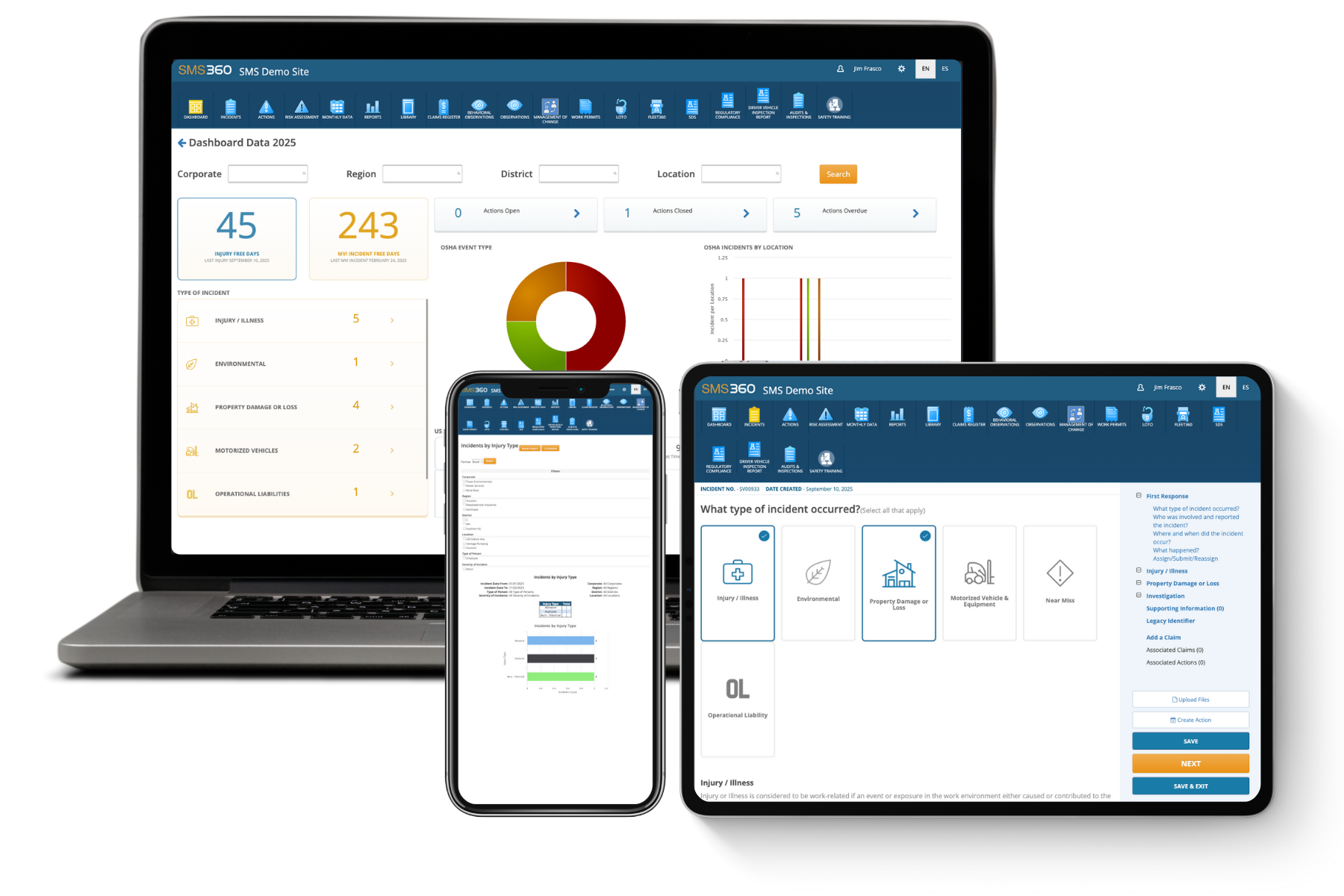

Laptop, smartphone, and tablet displaying SMS360 Demo Site with dashboards and incident reporting interfaces.

See how SMS360 simplifies safety, compliance, and reporting — all in one easy-to-use platform.

Explore the Core Modules That Power SMS360

Unite your entire safety program — incidents, audits, training, and compliance — in one place.

Audits & Inspections
Simplify every audit and inspection and stay compliant-ready year-round.
Conduct inspections on desktop, tablet, or mobile — even offline.
Customize checklists for departments, sites, or equipment.
Instantly flag and assign corrective actions to stay compliant.
Learn More
Incident Management
Take control of incidents from first response to resolution — all in one place.
Automate OSHA and DOT reporting with digital incident logs.
Capture photos, witness statements, and root causes in seconds.
Track corrective actions to close out incidents faster and prevent repeats.
Learn More
Regulatory Compliance
Keep your facility compliant with OSHA, DOT, and EPA — without the paperwork.
Manage permits, notices of violation, and inspection history.
Stay ahead of deadlines with automatic reminders and alerts.
Generate compliance reports in seconds for internal or external audits.
Learn More
Safety Observations
Identify risks before they become incidents — empower teams to act on the spot.
Log unsafe conditions or behaviors from any device.
Track trends by site, department, or supervisor.
Close the loop with automatic follow-ups and status tracking.
Learn More
Training Management
Build safer, smarter teams with consistent, trackable employee training and tracking management software.
Automate reminders, track sessions, and ensure timely completion.
Centralize attendance, upload documents, and maintain records.
Manage classroom and on-the-job training from a single platform.
Learn More
Risk Assessment
Turn environmental, health, and safety data into insight — predict and prevent what’s next.
Analyze trends and exposure using customizable risk models.
Rank hazards by severity and likelihood for smarter prevention.
Export visual risk reports for leadership and safety committees.
Learn More
Fleet Management
Manage drivers, vehicles, and inspections with Fleet360, software for fleet management.
Track driver qualifications, vehicle history, and DVIR logs.
Automate maintenance scheduling and compliance checks.
Stay FMCSA-ready with digital records and reports.
Learn More
Claims Management
Simplify the claims management process and get visibility into every cost and outcome.
Track claim expenses, statuses, and resolutions in real time.
Attach documentation, reports, and correspondence securely.
Reduce claim turnaround times with automated follow-up workflows.
Learn More
Work Permits
Digitize your permit process to ensure every task is reviewed, approved, and performed safely.
Create, review, and approve permits for high-risk work in minutes.
Assign responsible personnel and verify authorizations before tasks begin.
Track active, pending, and expired permits in real time.
Learn More
Lockout Tagout (LOTO)
Ensure equipment is safely locked and tagged before maintenance starts with SMS360's lockout tagout software.
Digitize and verify lockout/tagout procedures per asset.
Track authorization and completion for every employee.
Reduce equipment-related injuries and OSHA violations.
Learn More
Safety Data Sheets
Keep all chemical safety data accessible and compliant in one, easy-to-use SDS management system.
Store, search, and update SDS records anytime.
Provide instant access to workers during emergencies.
Ensure regulatory compliance with centralized documentation.
Learn More
Management of Change
Control how organizational, process, or equipment changes are requested, reviewed, and approved.
Submit and track change requests with clear status updates.
Assign reviewers and document risk or cost impacts instantly.
Maintain an auditable record of approvals and dispositions.
Learn More
Actions Management
Assign corrective and preventative  actions, set priorities, and monitor your team's progress to ensure nothing slips through the cracks.
Create, assign, and monitor actions with real-time updates.
Prioritize actions by risk level and due date.
Attach documents and notes for a complete audit trail.
Learn More
Document Library
Keep every safety and compliance file in one secure place. Upload, organize, and share documents instantly with full version control.
Store SDSs, manuals, and training files in one hub.
Add quick links to OSHA and external resources.
Manage permissions to control file access.
Learn More
Analytics & Reports
Generate reports, track KPIs, and uncover trends to improve environmental, health, and safety performance.
Instantly create OSHA, KPI, and incident reports.
Spot trends with causal analysis tools in SMS360.
Schedule and share safety and fleet reports.
Learn More